SaveAnywhere Logo
SaveAnywhere AMZBoosted
Now available on the Chrome Web Store

Save the web directly to Google Drive.

Bypass the local download folder. Right-click any link, image, or video and send it straight to your Google Drive — instantly, with zero local footprint.

Google Drive — Live · Dropbox & OneDrive — Coming Soon · Edge & Firefox — Coming Soon

No account required. 100% local processing. Your files never touch our servers.

Sample
Open link in new tab
Save image as...
Copy image address
icon Save to Cloud
Google Drive
Google Drive photo-16826.jpg
Uploading... Complete
100% Local Processing
Files Never Touch Our Servers
No Data Collection
One Right-Click to Save
Free to Use

Cloud Providers

Google Drive is fully supported today. More providers are in active development and rolling out soon.

Google Drive
Live Now

Fully integrated. Connect with OAuth in under 30 seconds.

Dropbox
Coming Soon

In development. Install now and get notified on launch.

OneDrive
Coming Soon

In development. Install now and get notified on launch.

App Screenshots

A look at the clean, focused interface built right into your browser.

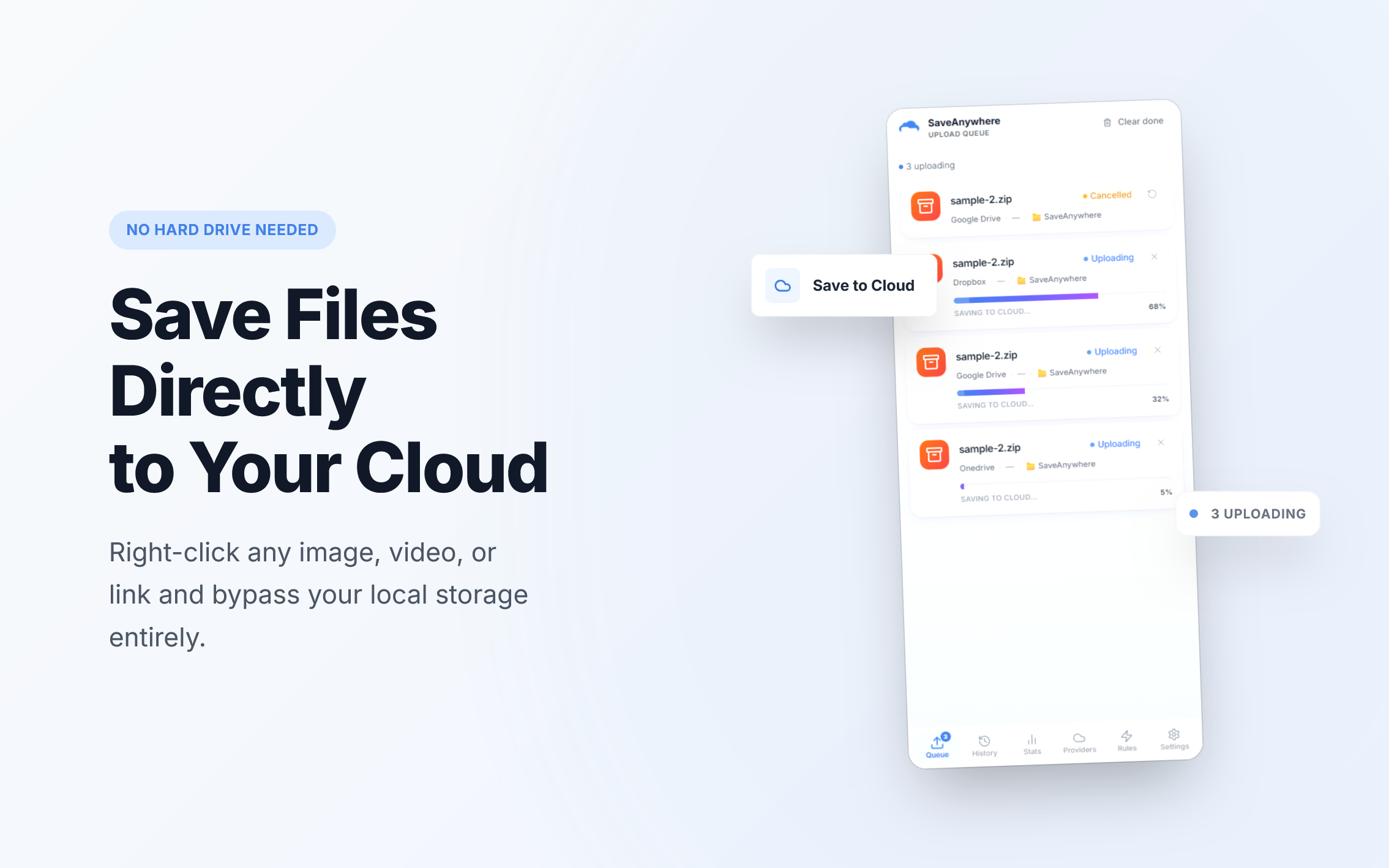
Upload Queue

Upload Queue

Monitor active uploads, track progress, and manage jobs from the side panel.

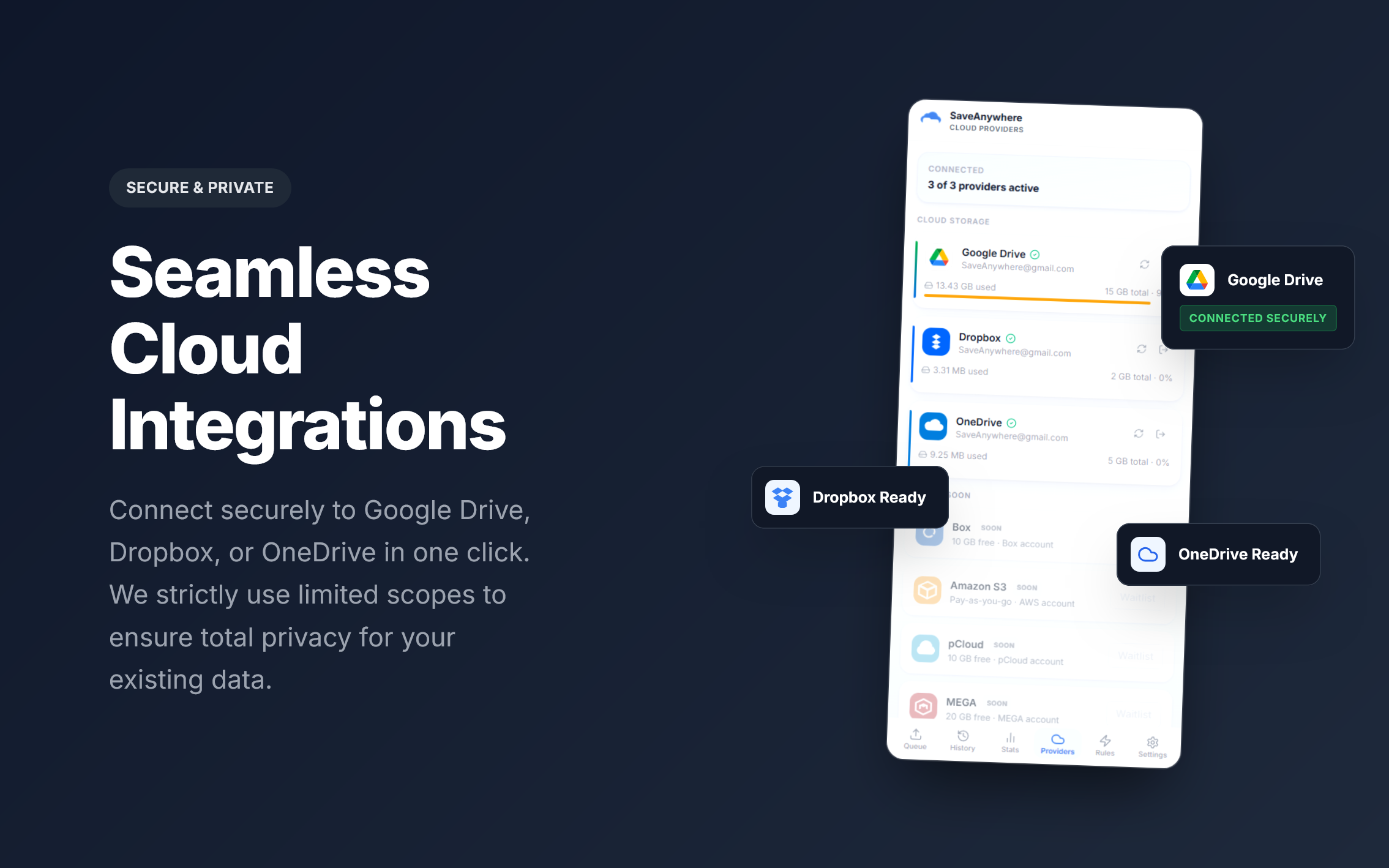
Cloud Providers

Cloud Providers

Google Drive is live and ready to connect. Dropbox and OneDrive are coming soon.

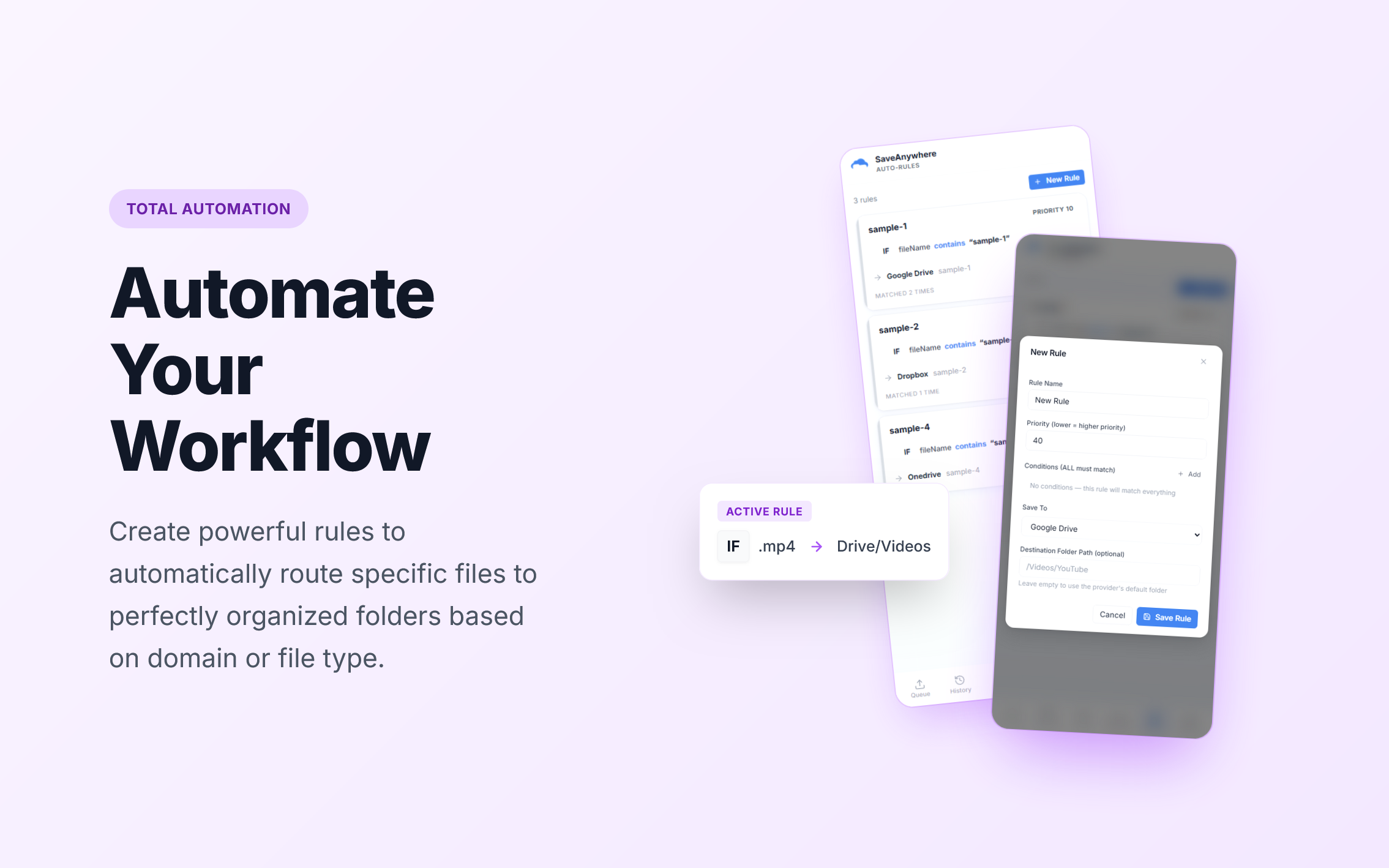
Auto Rules

Auto Rules

Configure rules to automatically route specific files to specific folders — by domain, type, or size.

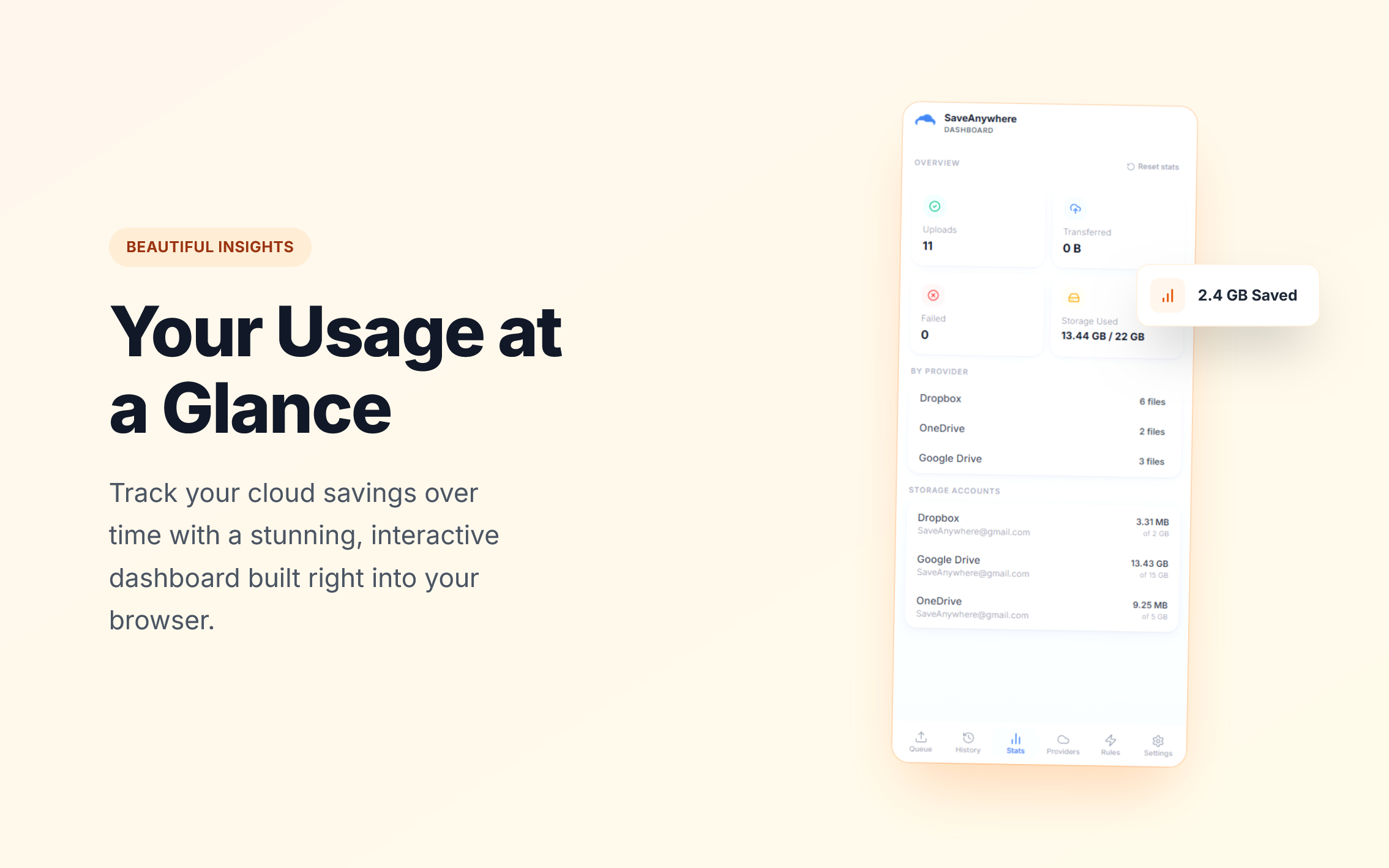
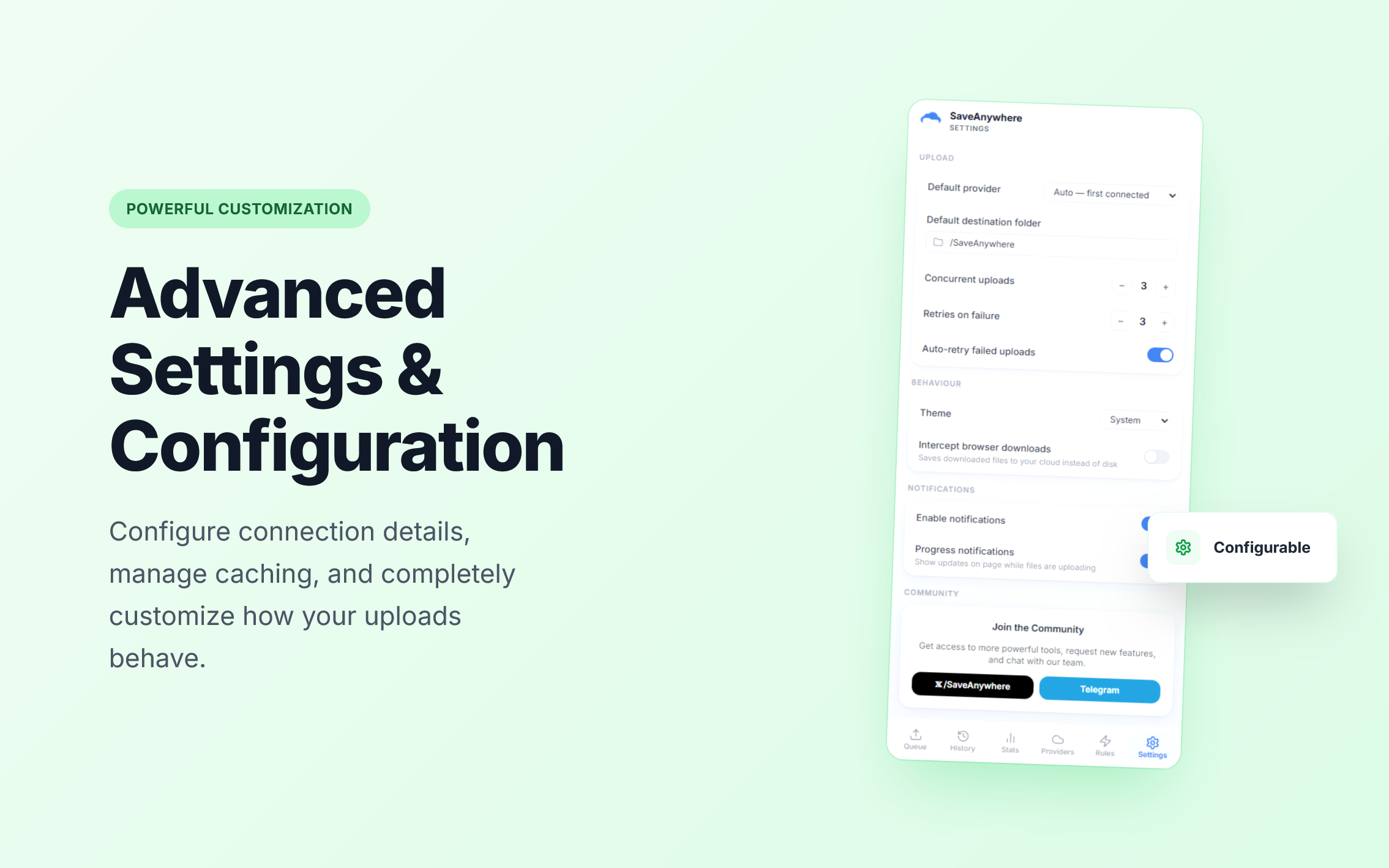
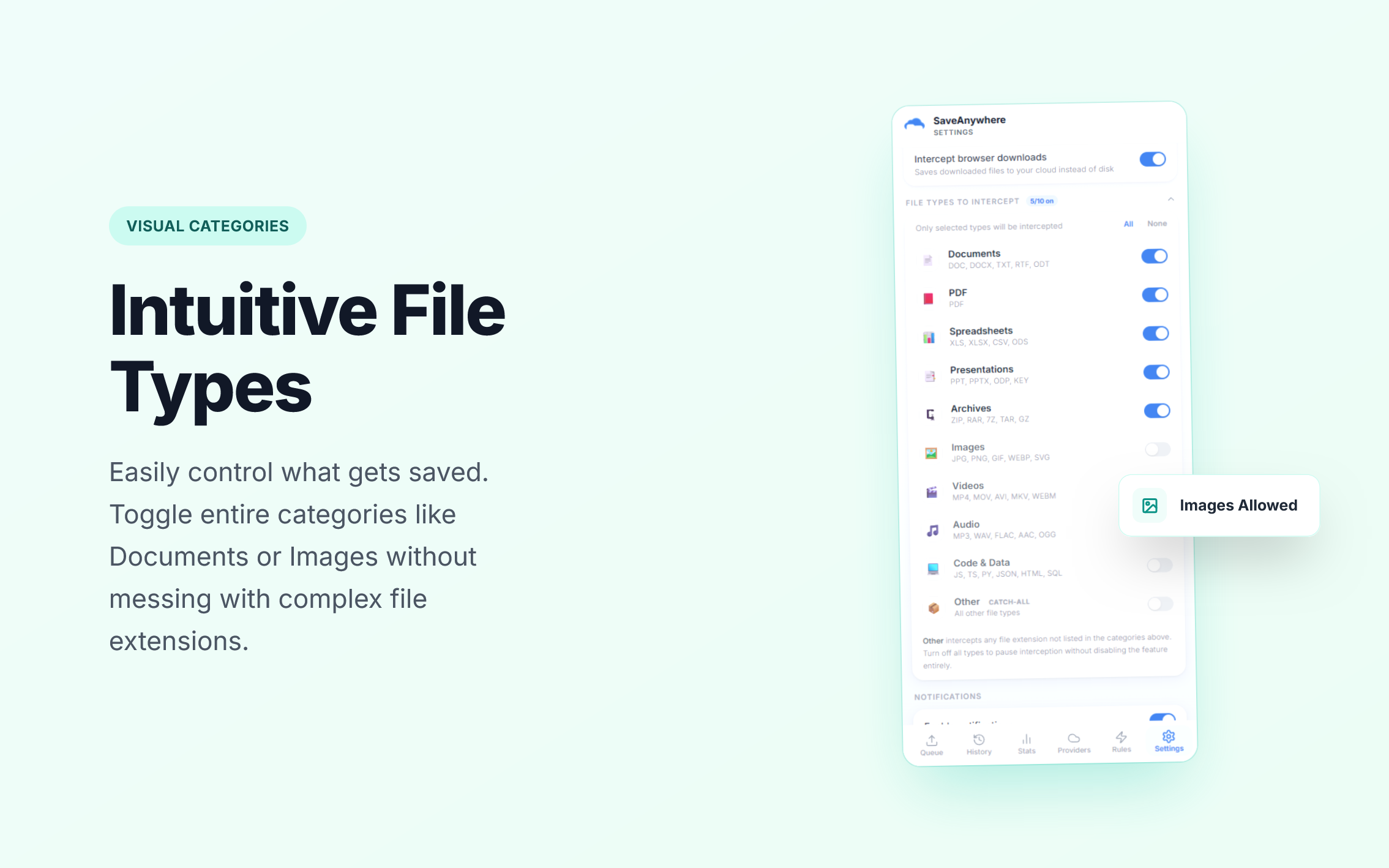
Settings

Preferences

Customize concurrent uploads, download interception, notifications, and retry logic.

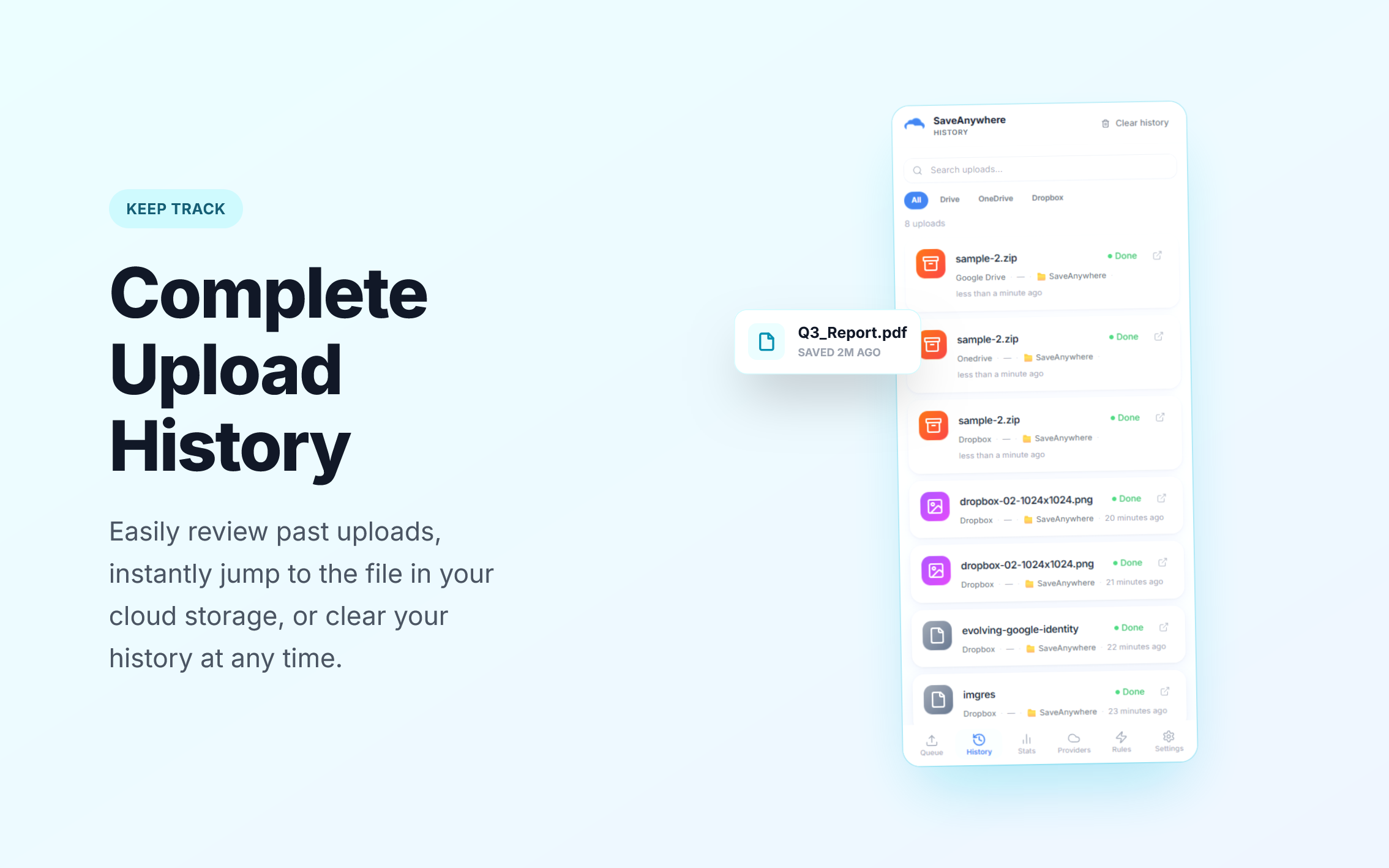
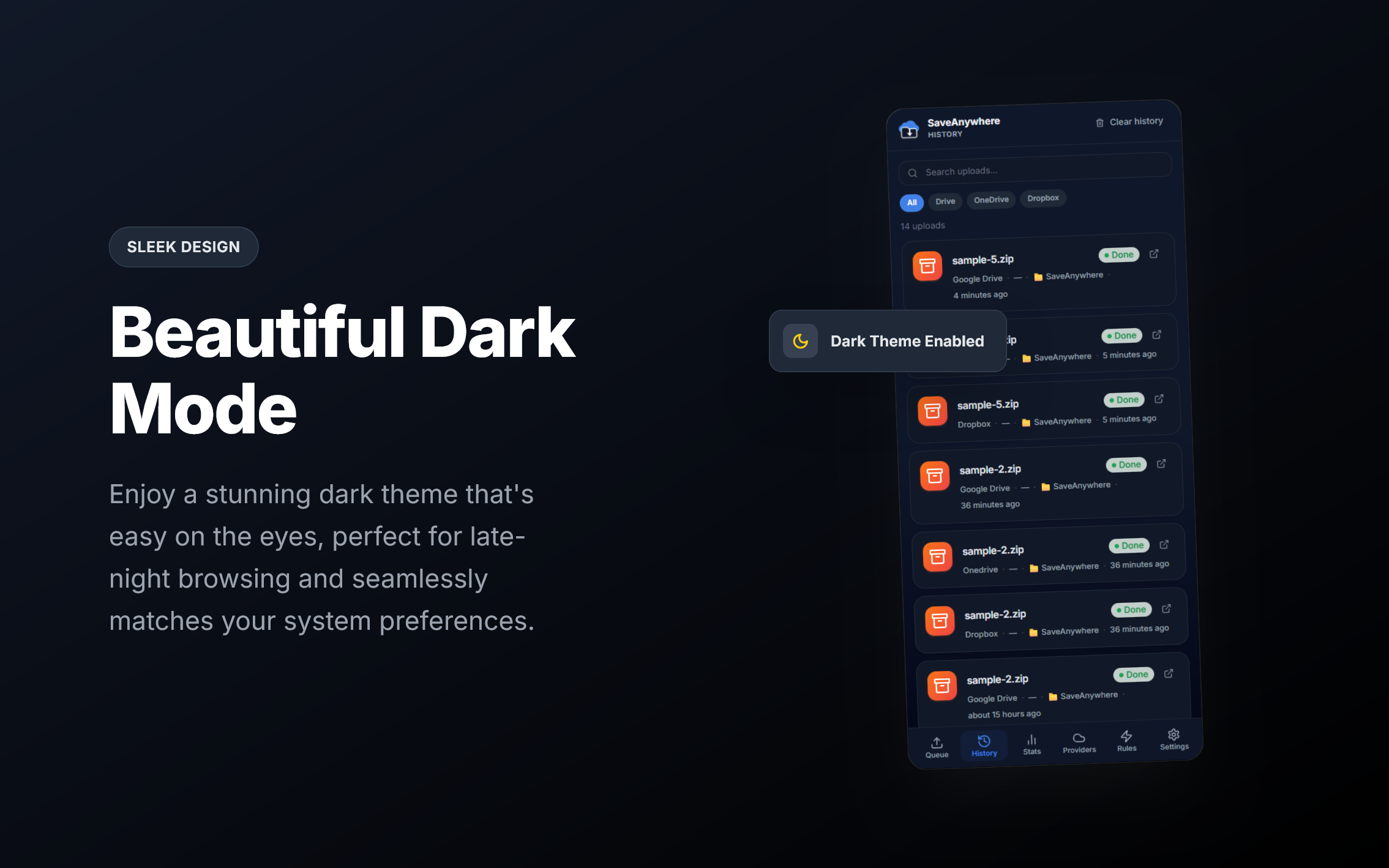
Upload History

History

Review all your completed file transfers at a glance, with timestamps and destinations.

Everything you need to work faster.

Stop cluttering your local downloads folder. SaveAnywhere bridges the gap between your browser and Google Drive seamlessly.

Context Menu Power

Right-click any link, image, or video online and instantly dispatch it to your chosen Google Drive folder. One click, zero local footprint.

Smart Auto-Rules

Create rules based on file extension, domain, or size to automatically route files to the exact right Drive folder — no manual action needed.

100% Local Processing

Your files never touch our servers. All transfers happen directly between your browser and Google Drive using your own OAuth token stored locally.

Upload Queue & History

Track active uploads in real-time, cancel or retry jobs, and review a full history of all your cloud transfers with timestamps.

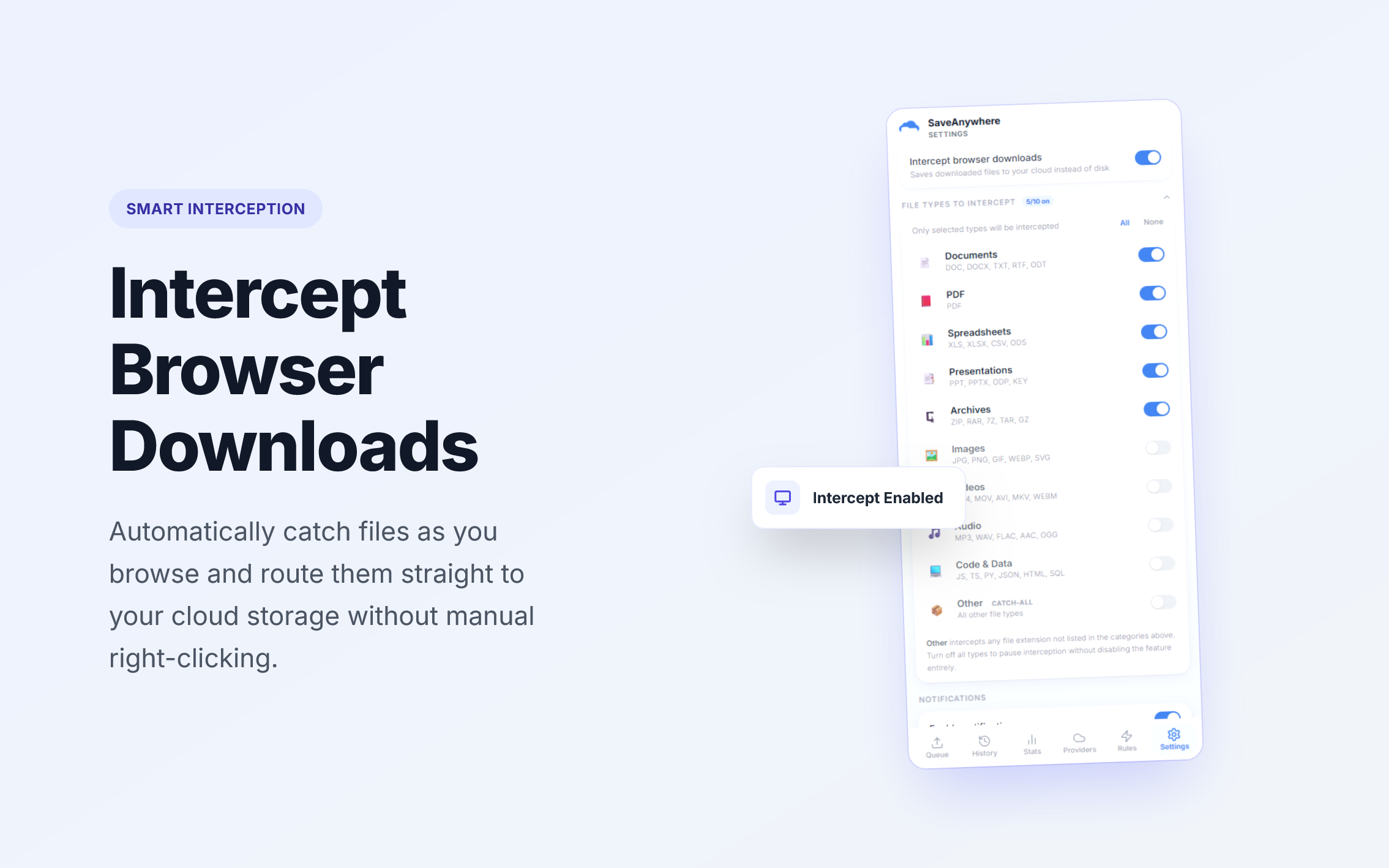
Download Interception

Optionally capture standard browser downloads and redirect them straight to Google Drive — skipping your local disk entirely.

Live Upload Notifications

Get browser notifications the moment a file is saved to Drive. Stay informed without switching tabs or opening the panel.

How it works

Up and running in under a minute. No technical setup required.

1

Install

Add SaveAnywhere to Chrome from the Web Store — it takes 10 seconds.

2

Connect

Link your Google Drive account securely via OAuth — no passwords stored.

3

Right-Click

On any webpage, right-click an image, file link, or video and choose "Save to Cloud."

Done

The file goes straight to Google Drive. No local clutter, no intermediate steps.

Frequently Asked Questions

Everything you need to know before you install.

Absolutely not. SaveAnywhere processes everything 100% locally inside your browser. Your files are streamed directly from the web to Google Drive using your own OAuth access token — they never pass through our servers, and we have no infrastructure to receive them. We do not collect, log, or transmit any file content or metadata.
Google Drive is fully live and ready to use today. Dropbox and Microsoft OneDrive are both in active development and will be rolling out soon. Install now to be automatically notified when they launch — no extra steps needed.
Yes — the core extension is completely free. You can right-click and save to Google Drive, use Auto-Rules, view your upload history, and configure preferences at no cost. No account with us is required.
We use Google's standard OAuth 2.0 flow. You click "Connect" inside the extension, Google's own login page appears (no third-party login), you authorize the requested permissions, and an access token is stored locally in your browser only. SaveAnywhere requests only the minimum permissions required to upload files — we never request read access to your existing Drive content.
Yes. The "Save to Cloud" option appears in Chrome's right-click context menu on any webpage — whether you're on a news article, a research database, GitHub, Unsplash, or anywhere else. It works on image files, downloadable links (PDFs, ZIPs, etc.), and video URLs. Note: Chrome's extensions are disabled by default in Incognito mode, but you can enable it manually in chrome://extensions.
Auto-Rules let you define conditions that trigger automatic saves without right-clicking. For example: "any .pdf from github.com → save to /Research in Drive" or "any image from unsplash.com → save to /Design Assets." You can stack multiple conditions per rule and assign a priority order. Rules are evaluated locally and fire whenever a matching download is detected.
We'd love to hear from you. Email us at [email protected] or visit the Support page. We read every message and prioritize bugs reported with browser version and reproduction steps.
No — only if you explicitly turn it on. The "Intercept browser downloads" setting is off by default. When enabled, it redirects normal browser downloads to Google Drive instead of your local disk. You remain in full control and can disable it any time from the Settings tab inside the extension.

Still have questions? Visit our Support page or email us directly.

Google Drive · Dropbox coming soon · OneDrive coming soon

Ready to send your first file to Drive?

Join smart professionals saving time by sending files straight to the cloud — no local clutter, no hassle.

Install SaveAnywhere Free

Free forever for core features. No account required.